Some love for our MCP, so your agent runs Tenkai from start to finish
Your coding agent now does nearly everything you do in Tenkai, from a new environment to a scaling policy, a custom domain or a server reboot, and asks you first before anything restarts, moves or opens to the internet.
We gave our MCP server some love. Until now, your coding agent could create an application, deploy it and read its logs, and then it sent you to the dashboard for the rest. Now it reaches nearly everything a team member does, so you can go from an empty project to an application that runs, scales and answers on your own domain without opening Tenkai once, while you keep the final say on what touches production.
Your agent does what you do
Ask it in plain words, such as "add a staging environment as a copy of production" or "serve the API on api.example.com", and it finds the right tool.
- Environments and configuration. It creates an environment, empty or as a copy, renames a project, sets the variables of an environment, and changes everything the configuration form of an application holds, from its image and size to its health check, volumes and replicas.
- Scaling and domains. It sets a scaling policy, adds a custom domain with a path or a wildcard and tells you the DNS records to create, and lets an application handle its own HTTPS.
- Databases and storage. It resizes a managed service, turns on high availability or continuous backup, creates a database from a backup or a moment in the past, and manages your hosted buckets.
- Servers and clusters. It renames a server, retries its setup, runs its checks, installs the Tenkai Agent, changes the settings and nodes of a cluster, and repairs what the health page lists.
- Private images and the marketplace. It finds which of your GHCR credentials pulls a private image, and installs or upgrades a marketplace app.
You still decide what matters
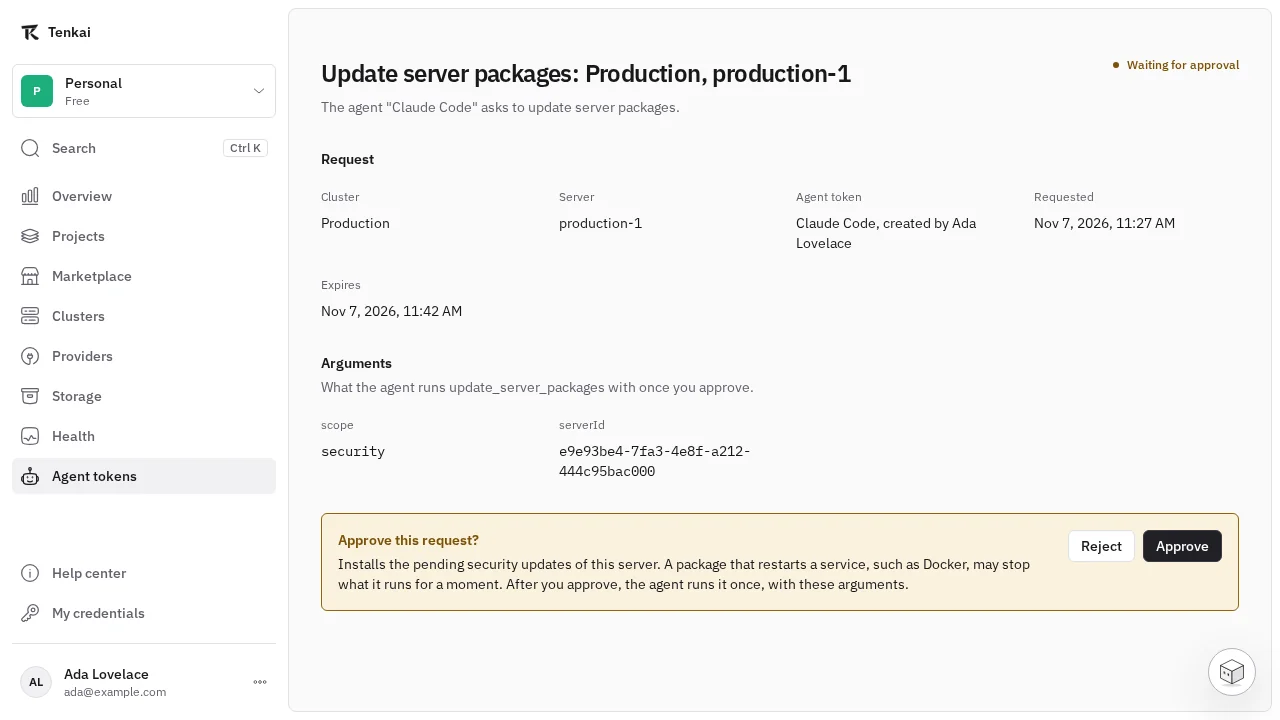
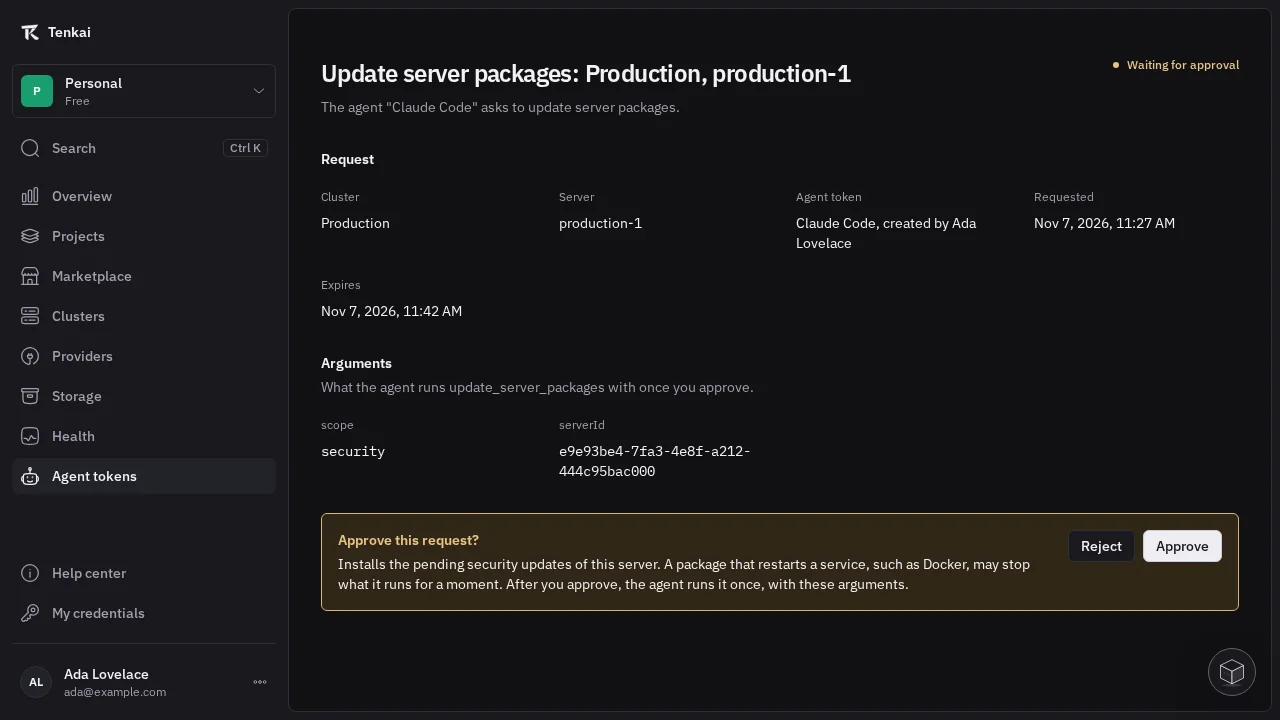
A reboot, a package update, a drain, a change of managers, a move of the edge node, a new public address or a database opened to the internet now waits for you. The agent gives you a link, you read the exact tool and arguments it will run and what they change, and you approve on that page or in Hako. The agent runs that call once and nothing else, so it can never change a server or an argument after you said yes.
Deleting a project, a resource or a server and restoring a backup stay yours, from their pages in Tenkai.
Scopes that say what the agent may do
Scaling, custom domains, deploy on push and your clusters and servers now each have their own scope, so you give an agent exactly the part of Tenkai it works on. Tokens that could change configuration keep every tool they had. The agent sees every tool your team has with the scope it needs, so when you ask for something its token does not allow, it tells you which scope to grant, and a tool of a feature your team has not turned on stays out of its list.
See Agent tokens to connect your agent and choose its scopes.