Share a hostname, cover every subdomain and shape what Traefik does
Serve your site and your API under one hostname, answer on every subdomain with one wildcard, let your application handle its own HTTPS, and turn on compression, sticky sessions or any Traefik middleware.
Your domains now follow the shape of your product. Your site and your API share example.com, each customer gets their own subdomain from a single wildcard, and every request goes through the Traefik settings you choose before it reaches your application.
They are still experimental, so an owner or an admin first turns on Shared hostnames, Wildcard domains or Traefik settings under Experimental in your team settings, and the whole team gets them at once.
One hostname for several web applications
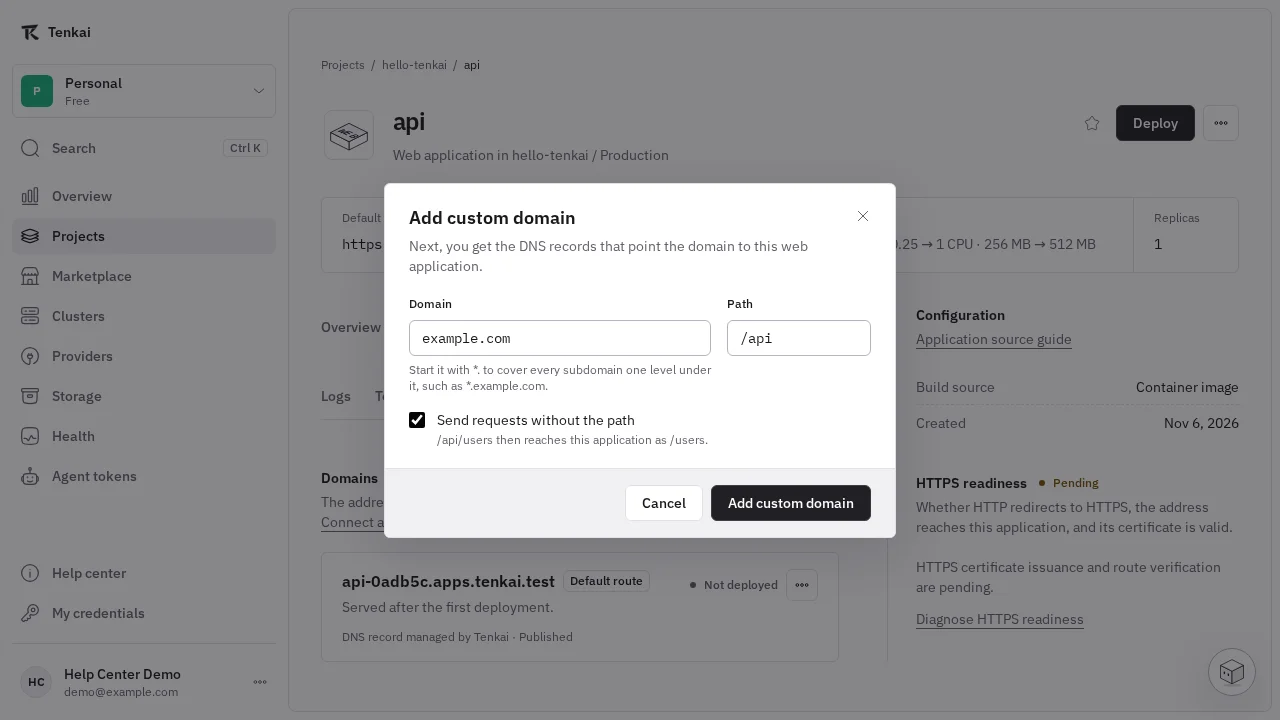
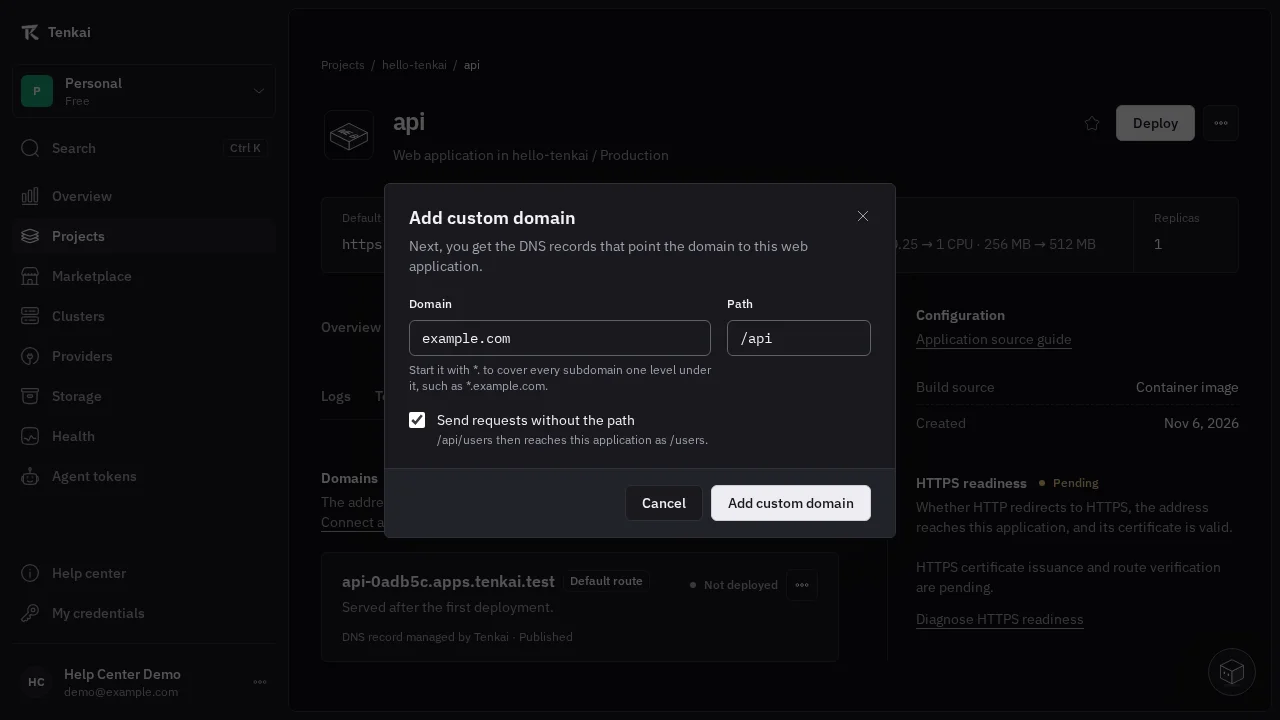
Your site answers at example.com and your API at example.com/api, with no gateway of your own in front of them. Add the domain to each web application with the same hostname and its own Path, and keep / for the one that serves the rest. The longest path that matches a request wins, so /api/orders reaches your API while /apiary stays with your site.
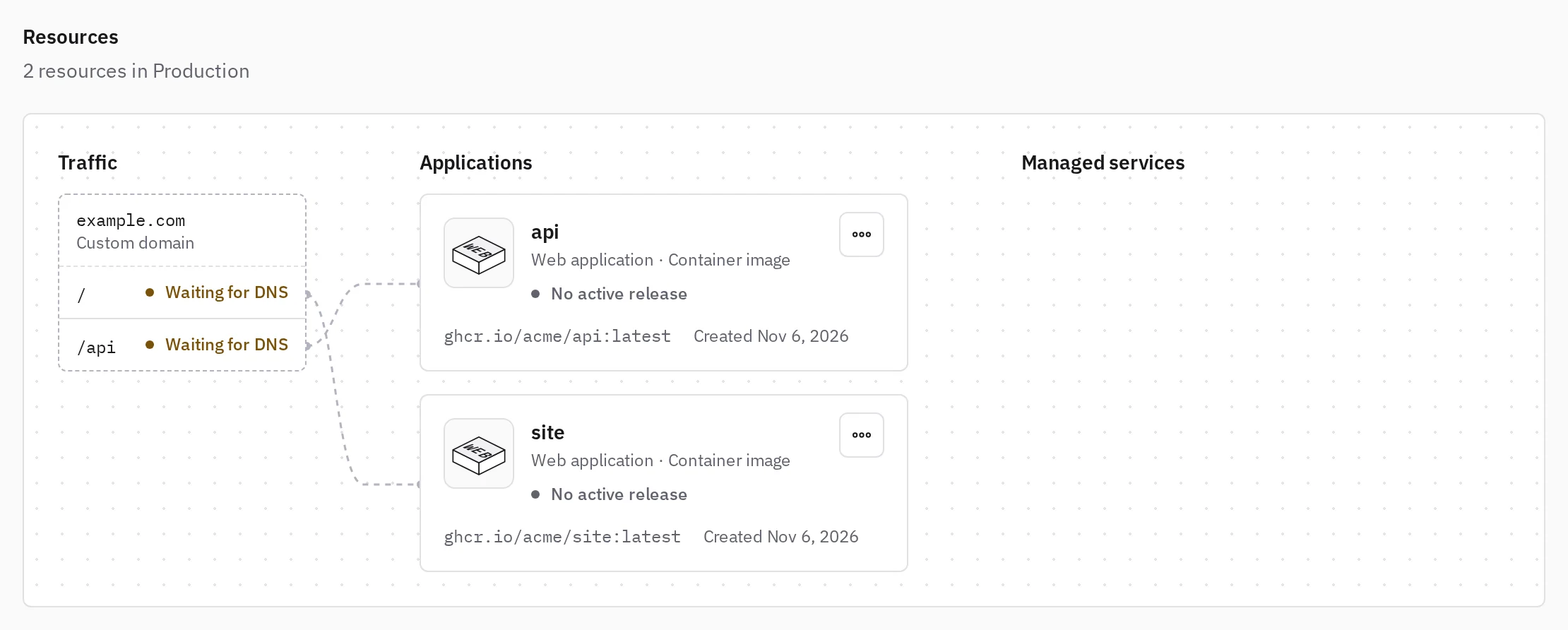
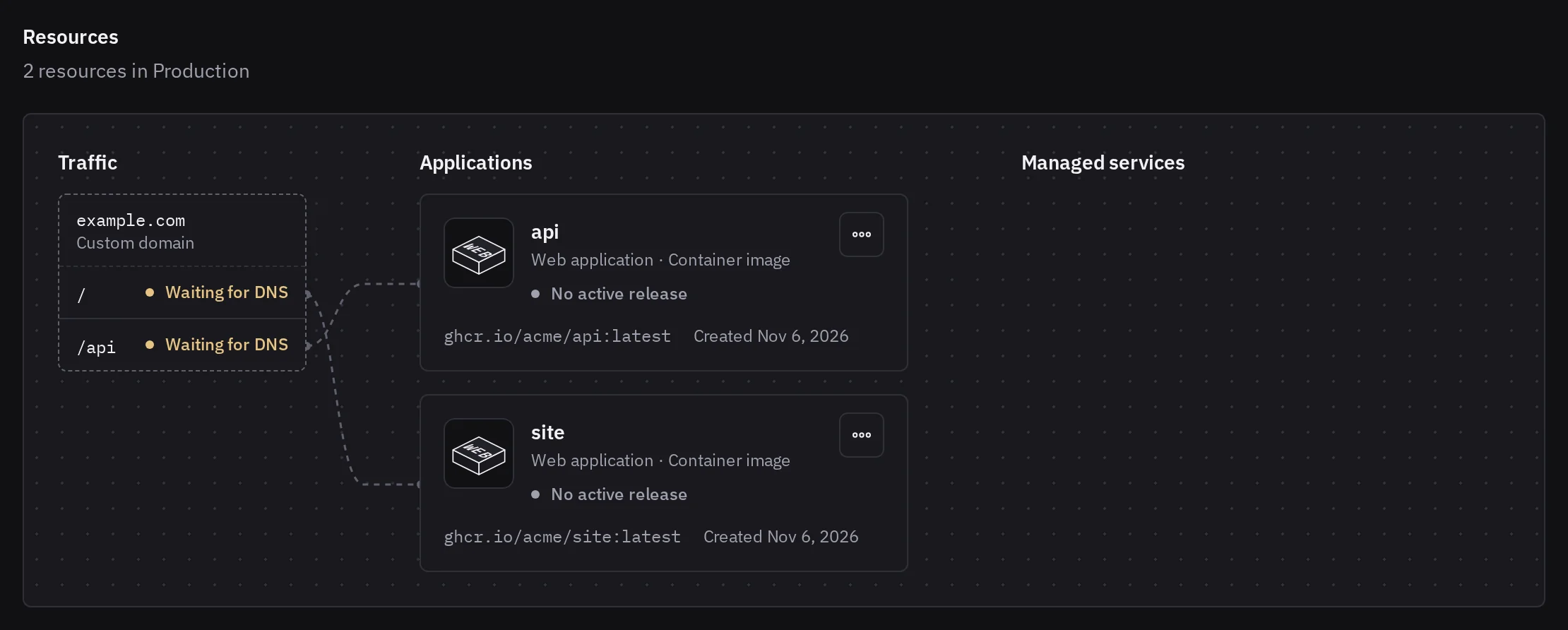
When your API expects its requests at its root, choose Send requests without the path, and /api/orders reaches it as /orders. Every path shares one certificate and one DNS record, so removing a path leaves the others serving HTTPS.
See Share a hostname between web applications for the details.
Every subdomain with one wildcard
A wildcard such as *.in.example.com brings shop.in.example.com, acme.in.example.com and every other subdomain one level under it to your web application at once, which suits an application that gives each customer or device its own address. You add two records at your DNS provider, and Tenkai gets the wildcard certificate and renews it without any access to your DNS account.
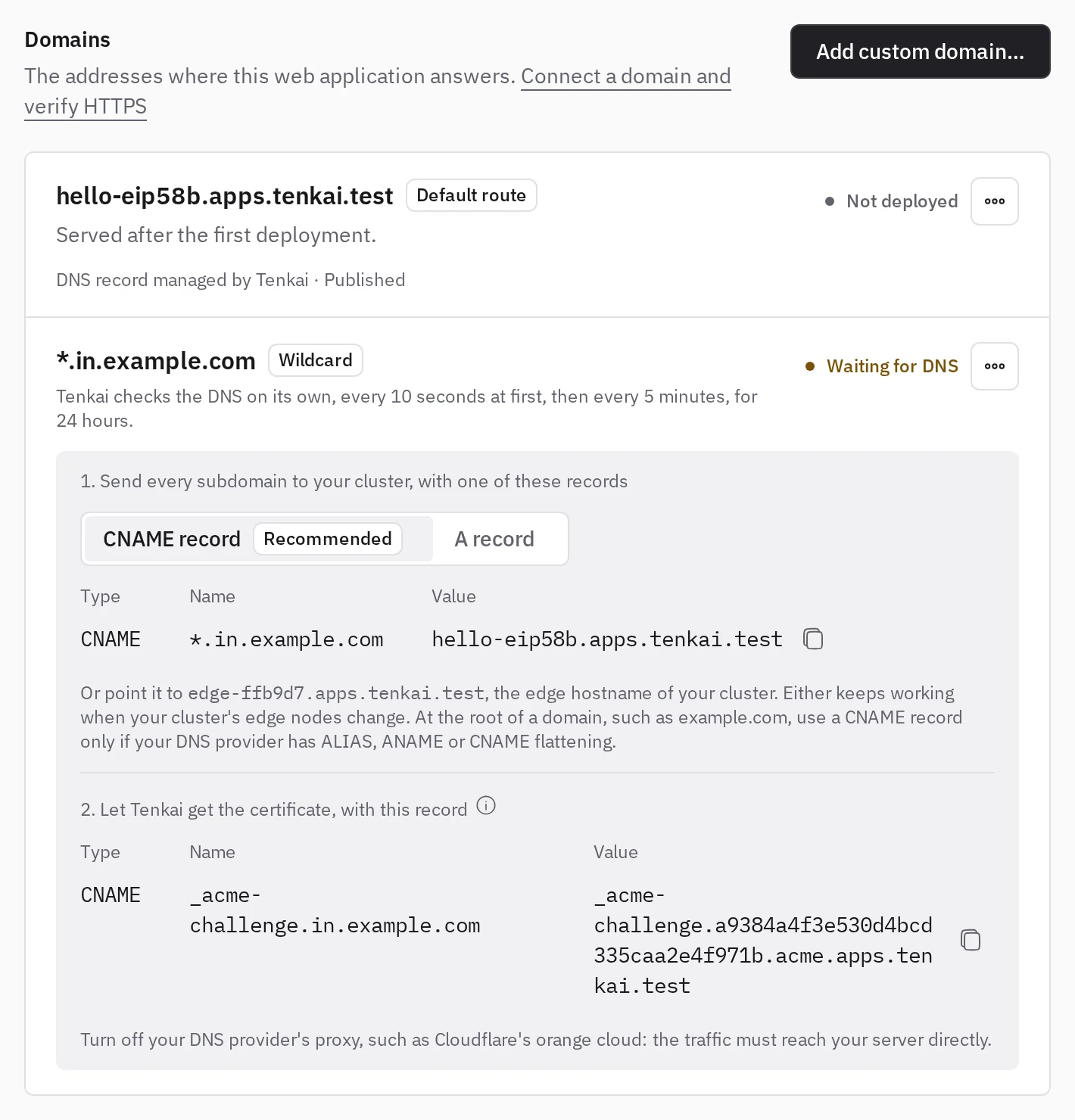
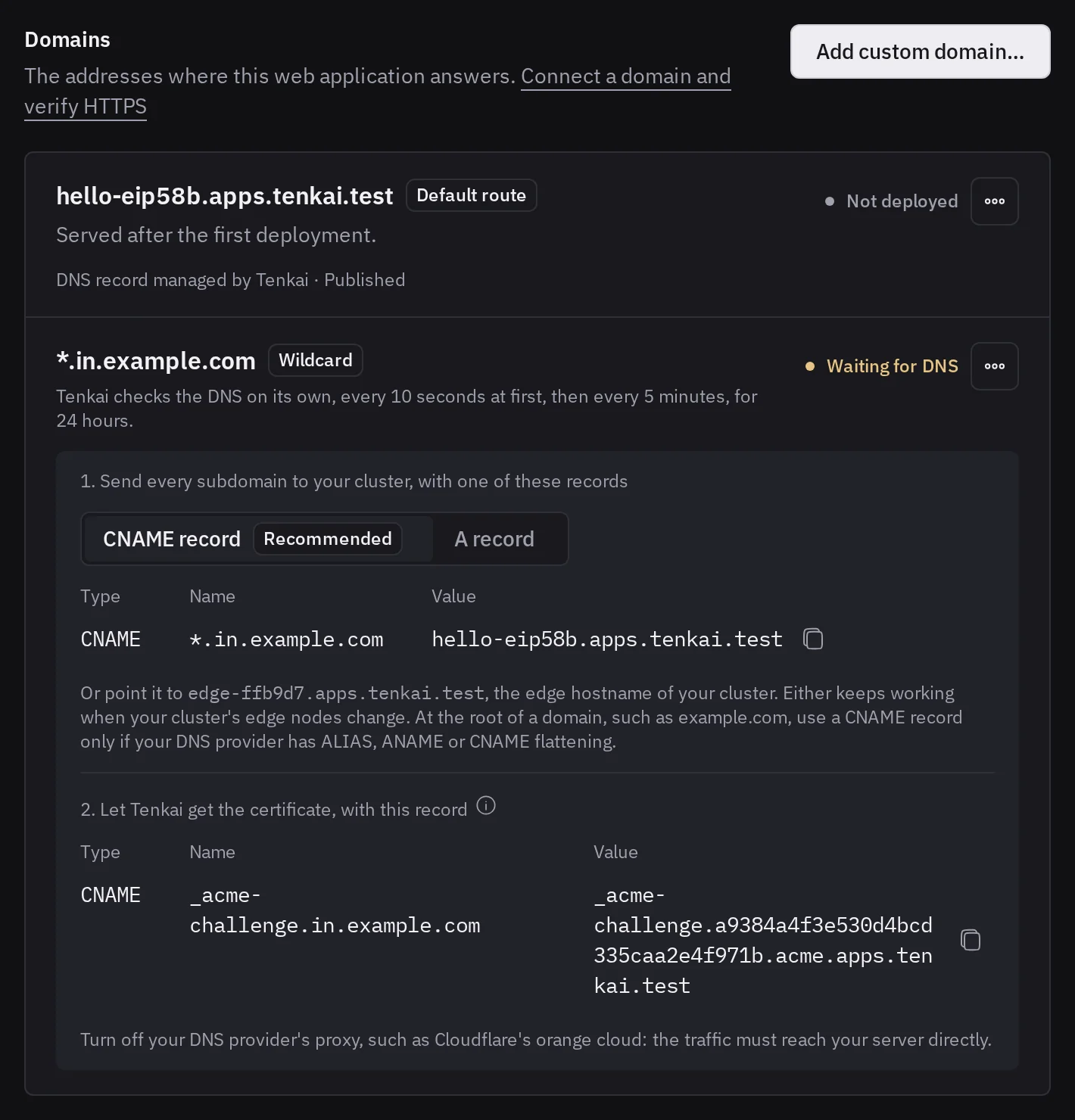
See Cover every subdomain with a wildcard for the details.
Your application handles its own HTTPS
Some applications get their own certificates, check the certificates of their clients, or speak something other than HTTP over TLS. Choose Let my application handle HTTPS… on a wildcard and give the port that takes these connections, and Tenkai passes each one to your application without opening it. Turn on Send the visitor's address when your application reads the PROXY protocol, and it sees who connects.
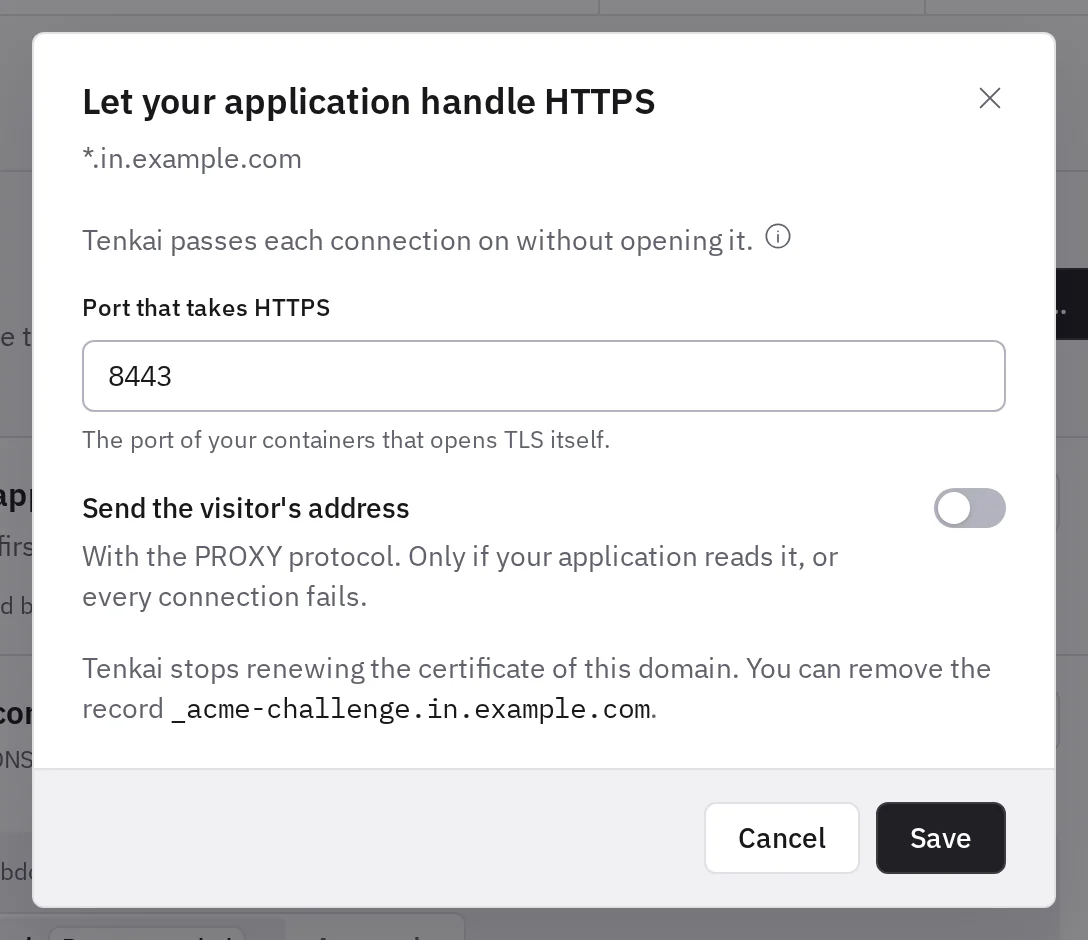
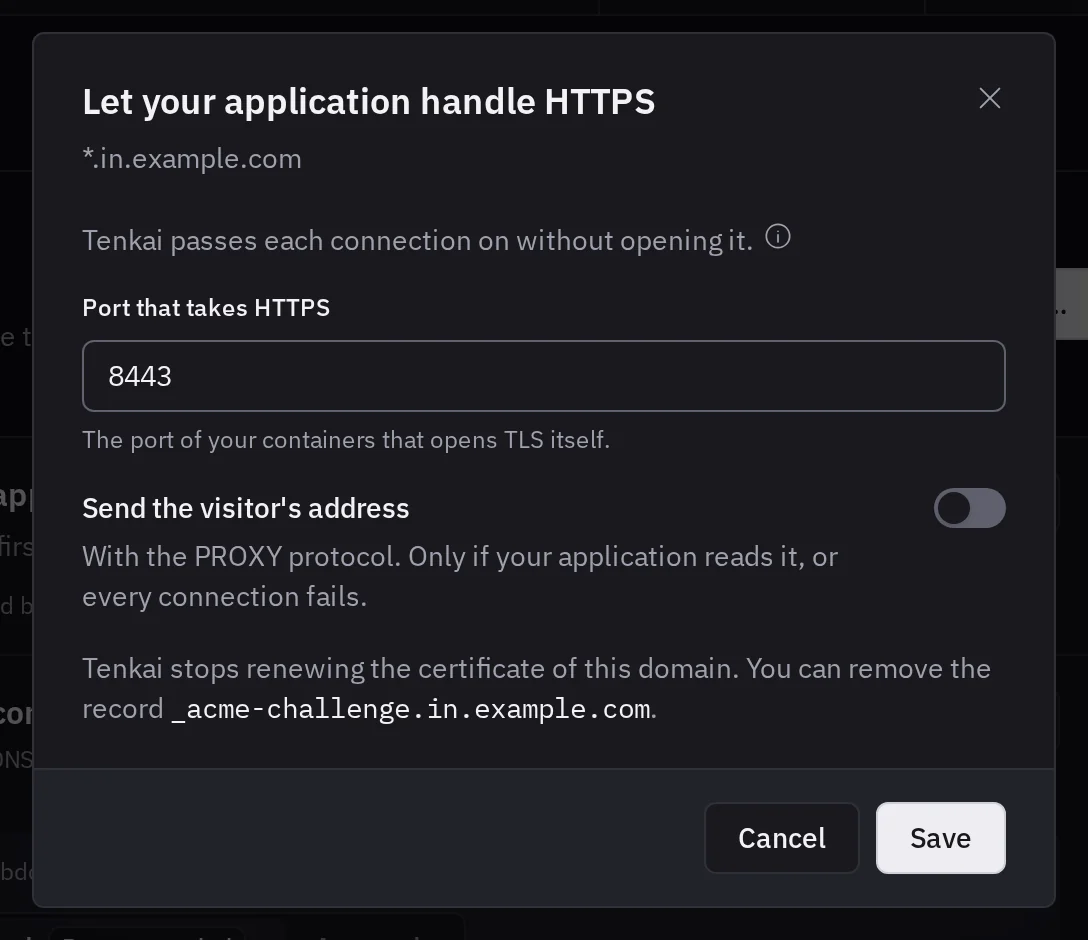
See Let your application handle HTTPS for the details.
Choose what Traefik does
Open a web application's Configuration tab and choose Edit next to Traefik. Compression saves bandwidth on your HTML, JSON and scripts, and sticky sessions send each visitor back to the replica that answered them first, which helps an application that keeps sessions or WebSocket state in memory.
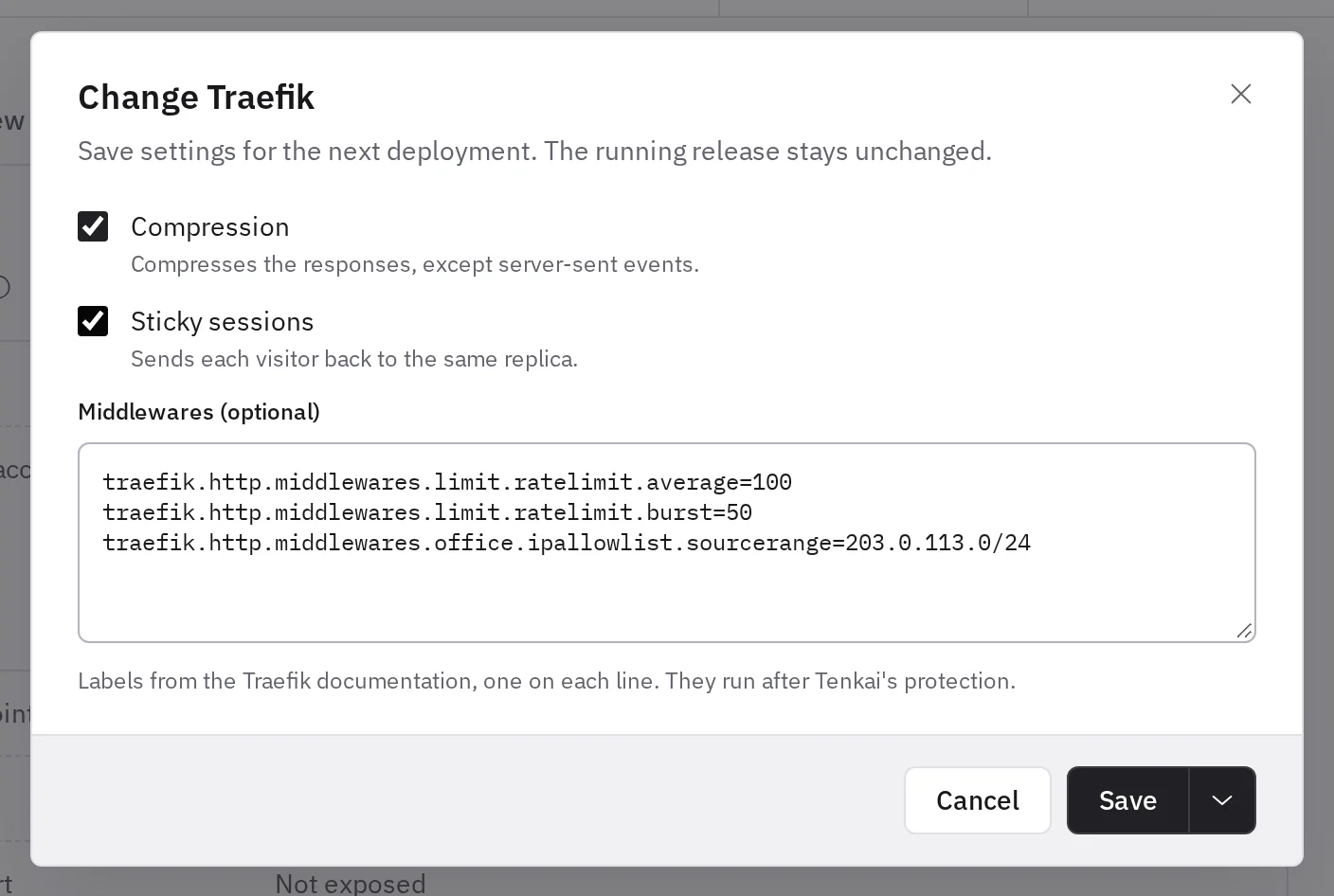
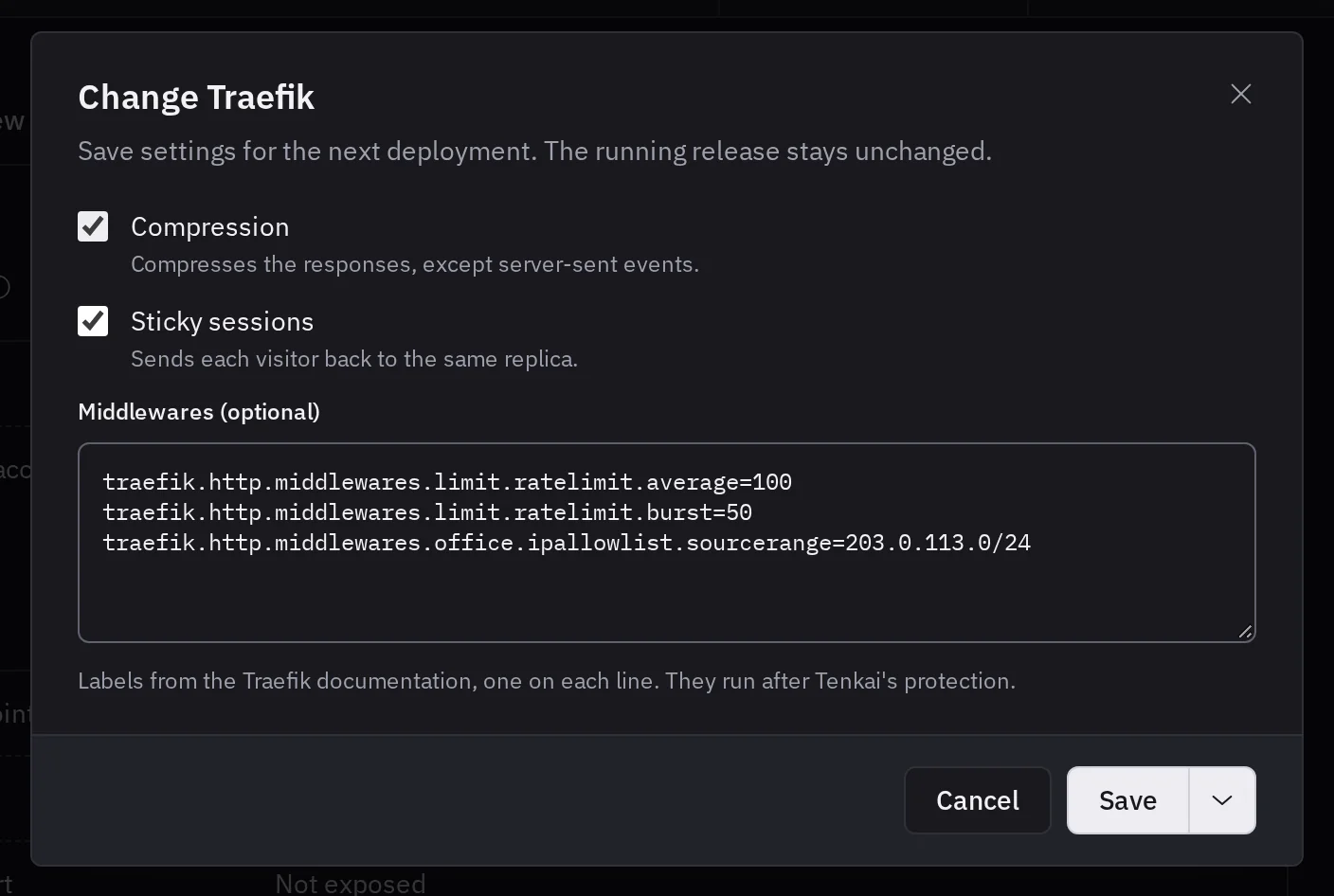
For anything else, paste the labels of a middleware as the Traefik documentation shows them, such as a rate limit or an IP allowlist, and Tenkai adds it to each route of the application after its own protection. The next deployment brings your settings in, so a mistake never reaches the release that serves your visitors.
See Traefik settings for the details.