How to deploy a Node.js application on Tenkai
Write a production Dockerfile with npm for a Node.js HTTP application, deploy it from a Git repository and verify its default HTTPS route.
Prerequisites
You need a ready cluster and a project on it (see projects and clusters), Git, Node.js 24 with npm, and a public repository. Docker is optional, to test the image locally.
The example is a small TypeScript HTTP server with locked dependencies, a build step and a start command. Adapt the commands to your application.
Create the HTTP application
Create package.json in a new repository:
{
	"name": "hello-tenkai",
	"private": true,
	"type": "module",
	"scripts": {
		"build": "tsc",
		"start": "node build/server.js"
	}
}
Install the build tools:
npm install --save-dev typescript @types/node@24
Add tsconfig.json:
{
	"compilerOptions": {
		"target": "es2024",
		"module": "nodenext",
		"rootDir": "src",
		"outDir": "build",
		"strict": true,
		"types": ["node"]
	},
	"include": ["src"]
}
Add src/server.ts:
import { createServer } from 'node:http';

const server = createServer((_request, response) => {
	response.writeHead(200, { 'Content-Type': 'text/plain; charset=utf-8' });
	response.end('Hello from Tenkai!\n');
});

server.listen(Number(process.env.PORT ?? 8080), '0.0.0.0');

process.on('SIGTERM', () => {
	server.close(() => process.exit(0));
});
Run npm run build, then PORT=8080 npm start, and visit http://localhost:8080. Expect Hello from Tenkai!.
Two lines matter on Tenkai. The server listens on 0.0.0.0: Tenkai cannot reach a process bound only to localhost. The SIGTERM handler lets requests in progress finish: Tenkai stops the previous release with SIGTERM, and Docker kills it 10 seconds later.
Add a Dockerfile
Create Dockerfile at the repository root:
FROM node:24-trixie-slim AS base
WORKDIR /app

FROM base AS build
COPY package.json package-lock.json ./
RUN npm ci
COPY . .
RUN npm run build

FROM base AS production-dependencies
COPY package.json package-lock.json ./
RUN npm ci --omit=dev

FROM base AS runtime
ENV NODE_ENV=production
RUN apt-get update \
	&& apt-get install -y --no-install-recommends dumb-init \
	&& rm -rf /var/lib/apt/lists/*
COPY --from=production-dependencies /app ./
COPY --from=build /app/build ./build
USER node
EXPOSE 8080
ENTRYPOINT ["/usr/bin/dumb-init", "--"]
CMD ["node", "build/server.js"]
The build stage compiles the application, production-dependencies leaves the devDependencies out of the final image, and runtime runs as the unprivileged node user.
dumb-init forwards signals to Node.js. Without it, Node.js ignores SIGTERM unless your code handles it, and each deployment waits 10 seconds before Docker kills the previous release. The CMD starts node rather than npm start, because npm does not pass the signal on.
If your application has no build step, delete the build stage and replace COPY --from=build /app/build ./build with COPY . .. Point the CMD at your entry file.
Exclude local files from the image
Create .dockerignore beside the Dockerfile:
.git
node_modules
build
.env
.env.*
npm-debug.log*
Without it, COPY . . puts your local node_modules, build output and .env file in the image. Keep credentials in variables.
Test the image locally
If Docker is installed, build and run the image:
docker build -t hello-tenkai .
docker run --rm --name hello-tenkai -p 8080:8080 hello-tenkai
Visit http://localhost:8080, then run docker stop hello-tenkai in another terminal. It should return in less than a second. If it takes 10 seconds, the server does not receive SIGTERM.
Tenkai builds the Dockerfile again on your cluster, for the architecture of its servers.
Configure the resource
Commit and push the files.
- In the project, choose Add resource, then Application.
- Choose Web application and Dockerfile-backed Git repository as the build source.
- Enter your public repository URL.
- Set the build directory / context to
.and Dockerfile path toDockerfile. - Set Revision to the branch you pushed, such as
main, and create the resource.
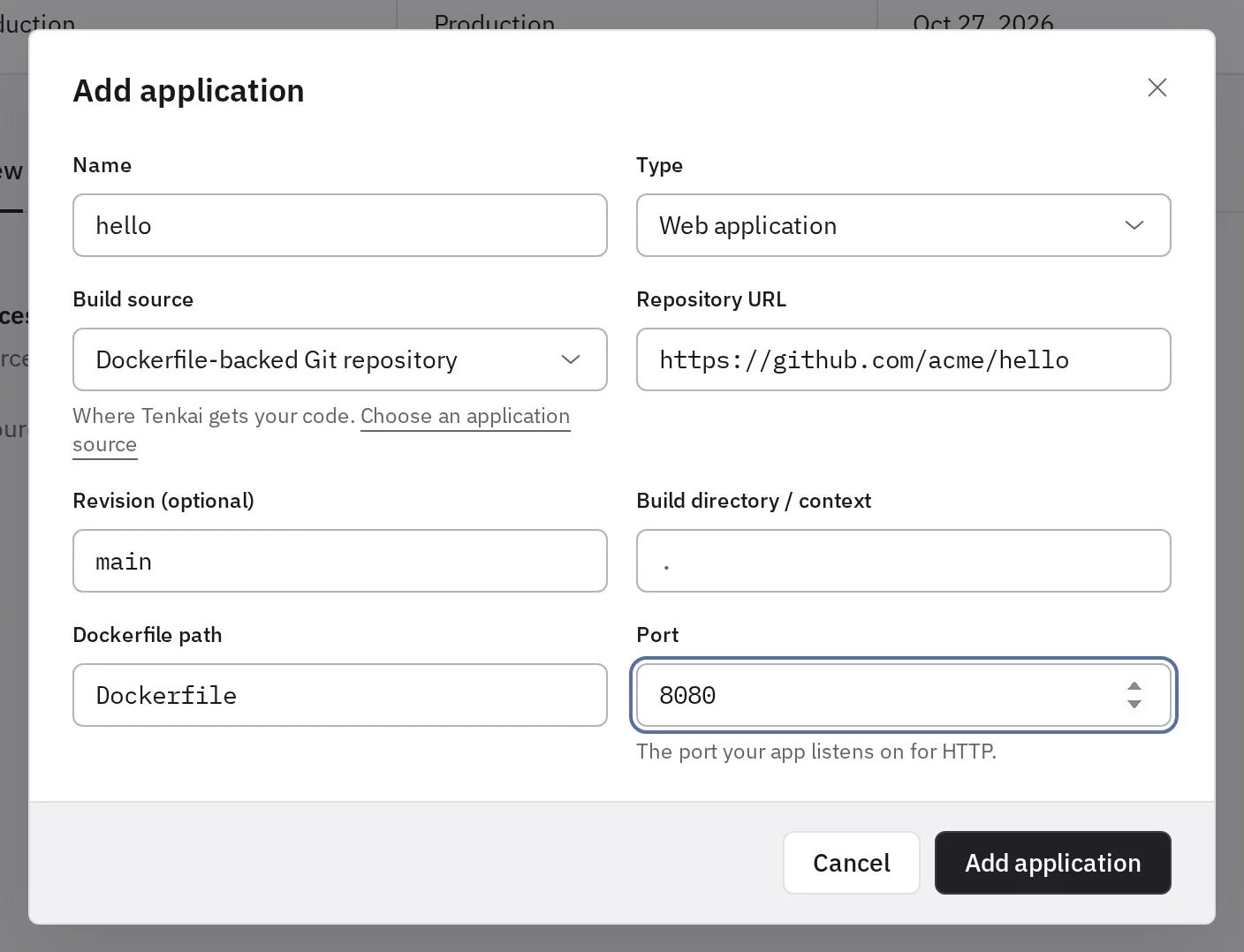
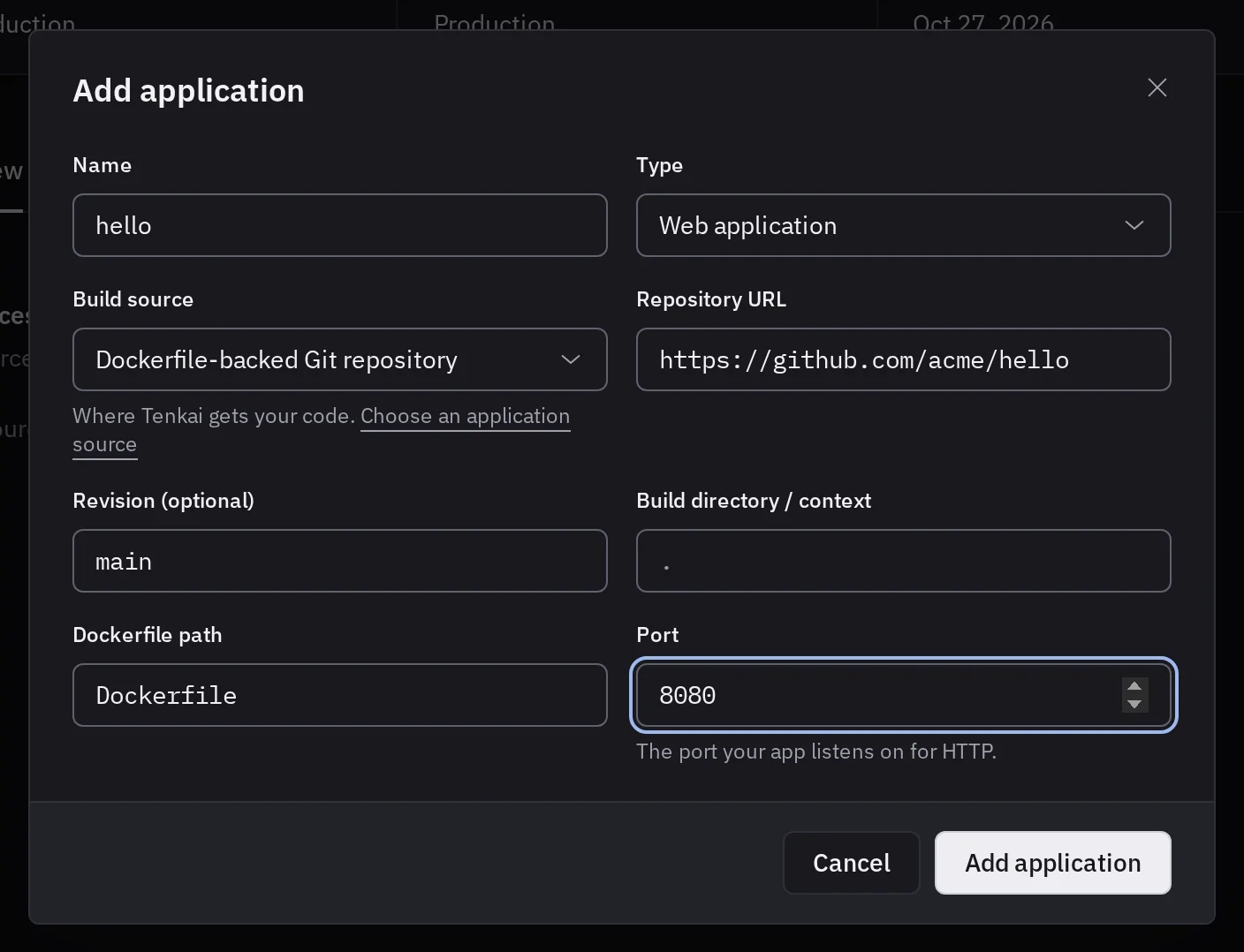
If the dialog offers Container image alone, the cluster of the project does not build from Git yet. An owner or an admin turns Git builds on from the cluster page.
For a private repository, connect its GitHub account first. Do not embed credentials in the URL.
Deploy and verify
Choose Deploy. Wait for an active release, then open its default route and expect Hello from Tenkai! over HTTPS. Tenkai sets PORT to the port of the web application, 8080 by default, which this application reads.
If the build fails, read the deployment Details. If the HTTP response fails, check the runtime port and HTTPS troubleshooting. You can then connect your own domain.
Keep files between deployments
A web application loses what it writes to its filesystem at each deployment. Store data in a managed service, or keep a directory for uploads or SQLite files.