How traffic reaches your application
Follow a request from DNS to the edge node, through HTTPS and the edge router, to a replica on any node of the cluster.
Every request to a web application enters its cluster through one node, the edge node. The other nodes accept no public traffic.
DNS points to the edge node
Each cluster has an edge hostname, such as edge-k7m4p9.apps.tenkai.cloud, whose DNS record points to the Public address of its edge node. The default route of each web application, such as api-k7m4p9.apps.tenkai.cloud, is a CNAME record to it.
A custom domain points to the edge node too: use a CNAME record to the default route or to the edge hostname, or an A record to the address of the edge node. Tenkai does not route IPv6, so give your domain no AAAA record.
The front holds the public ports
The edge node opens ports 80 and 443 to the internet, and ports 22000 to 22019 for the TCP ports of your web applications. A small proxy, the front, holds them and passes each connection to the edge router with the address of the visitor, so your application still sees who connects over HTTP.
The front does not restart when you deploy. It closes a connection that stays idle for more than a day, such as a WebSocket without pings.
The edge router ends HTTPS
The edge router is Traefik. It ends HTTPS with a certificate for each hostname, so a domain whose certificate fails does not block another, then sends the request to the web application of the hostname.
Tenkai issues the certificates
Tenkai gets a certificate for every hostname from Let's Encrypt:
- Tenkai asks for the certificate of a hostname once its web application is deployed. For a custom domain, it also waits until the DNS check passes.
- Tenkai sends the certificate to the edge node.
- The edge router routes the hostname only once it has the certificate, so a visitor never gets a certificate warning.
Tenkai renews each certificate before it expires. You have nothing to do.
When Tenkai cannot get a certificate, the hostname stays unrouted and its HTTPS status gives the reason and the time of the next attempt. See HTTPS is not ready.
A replica answers, on any node
The edge router reaches the replicas on any node over the cluster network and spreads the requests over them. Your application listens on its port and serves plain HTTP. It does not handle certificates.
The networks of two environments do not see each other.
What else the edge node does
The edge node is a manager node that also runs the builds of your Git repositories and keeps the cluster registry, from which every node pulls the images of your applications.
Tenkai keeps more CPU and memory on the edge node for the builds: How much memory a server needs gives the amounts. You cannot drain the edge node. Once another node accepts workloads, Stop accepting workloads on its card keeps your applications off it.
Update the edge router
When Tenkai changes what it installs on the edge node, such as a newer Traefik, a cluster that already runs keeps its edge router. The page of the cluster then says This cluster's edge router is out of date, and health lists it under Edge routers.
An owner or admin chooses Update edge router on the cluster page. Tenkai starts the new edge router beside the old one, which stops once the new one is ready, so your web applications keep serving. Only when the front itself changes is the traffic interrupted, for a few seconds. The update takes a minute or two, and does not start when the edge node does not answer over SSH.
Until you update an edge router set up before October 17, 2026, Tenkai cannot issue or renew the certificate of a custom domain of that cluster: its HTTPS status says that the certificate authority could not validate the hostname.
If the new edge router does not start, the edge node keeps the old one, and the cluster page says why. Choose Retry once the cause is fixed. An update does not run while the edge node moves.
Block attacks with CrowdSec
CrowdSec protection blocks the IP addresses that attack the web applications of a cluster: scans for admin pages, brute-forced logins, crawlers that look for known flaws. A blocked address gets a 403 from every web application of the cluster, for four hours by default. Your TCP ports are not covered.
An owner or admin turns it on or off from the cluster menu with CrowdSec protection…. It needs a paid plan. Turning it on or off updates the edge router, so your web applications keep serving.
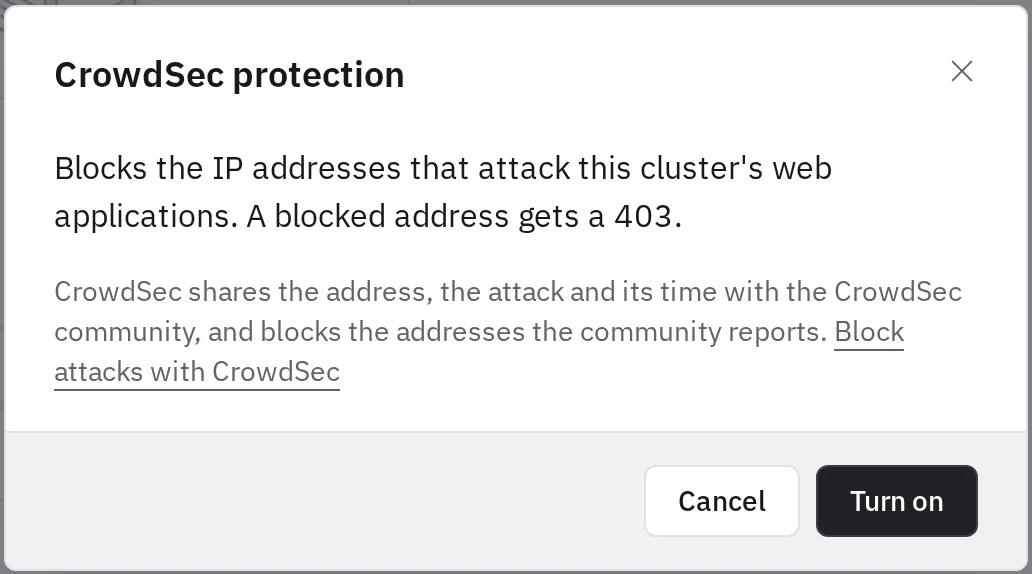
Before you turn it on, know what leaves your edge node: CrowdSec sends the CrowdSec community the address it blocked, the attack it saw and when. In return, the edge node receives the addresses the community reports and blocks them too. The requests themselves are not sent.
If CrowdSec stops on the edge node, your web applications keep serving every visitor, and the addresses already blocked stay blocked. Within 15 minutes, health lists the cluster under Edge routers as CrowdSec not answering. Choose Update edge router on the cluster page: the update installs CrowdSec again.
CrowdSec does not protect a domain proxied by Cloudflare: it sees the addresses of Cloudflare, which every visitor of the domain shares, so it never blocks them. Your other domains stay protected. Behind another proxy, CrowdSec would block the proxy and every visitor with it: leave the protection off on a cluster whose domains go through one.
To give new clusters the protection, select it under New clusters.
Edge node checks
Every 10 seconds, Tenkai sends each edge node an HTTPS request for the edge hostname of its cluster, from outside the cluster. The check passes when the edge router answers with the certificate Tenkai issued for the edge hostname.
After two failed checks in a row, health lists the edge node under Edge nodes, and its card on the cluster page says why:
- No answer: nothing answered on port 443 within 5 seconds. Check that the server runs, and that its provider firewall lets port 443 in.
- TLS error: the front took the connection, but no edge router answered behind it.
- Wrong certificate: the edge router served another certificate. Updating the edge router sends it every certificate of the cluster again.
- Bad status: an edge router answered without the route Tenkai installs. Update the edge router.
The edge node leaves the list after three checks pass in a row. Tenkai does not check an edge router set up before these checks until you update it.
When the edge node fails
If the edge node fails, the public traffic of the cluster stops, even when your replicas still run on other nodes. Nodes that do not have an image yet cannot pull it.
Use a CNAME record for your custom domains: it follows the edge hostname, which Tenkai points to the current edge node, so your DNS needs no change if the edge node changes.
In a highly available cluster, you can move the edge node to another manager while it still answers, without interrupting the traffic.
Every manager receives traffic
In early access, for the teams that try it first, every manager of a cluster is an edge node. The edge hostname then lists the address of each manager that passes its checks, so a highly available cluster keeps serving when one manager stops answering.
- A manager joins the edge hostname after three checks pass in a row, and leaves it after two fail in a row. Tenkai keeps it when every other edge node fails too, as the cause is then more likely on the side of Tenkai, and never removes the last address.
- A visitor whose resolver kept the address of a manager that stopped can wait about two minutes, until the record leaves the edge hostname and the 60-second TTL of its DNS answer expires.
- Promoting two worker nodes to managers updates the edge router, which gives each new manager its certificates and an edge router before it receives traffic. Demoting two managers first takes them out of the edge hostname: the cluster page says Leaving public traffic, and they become worker nodes about two minutes later, once DNS caches have dropped them. If this fails, they receive traffic again and the page offers Retry.
- On a cluster that already runs, the cluster page says that the edge router is out of date: update it to bring the other managers in. The card of each edge node says No public traffic while the edge hostname does not list it.
- The edge node that keeps the builds and the cluster registry is the Primary edge node. Moving it to another manager changes no DNS record: both nodes keep receiving traffic.
Use a CNAME record for your custom domains: an A record points to one address only.